Integrity Monitor
The Integrity Monitor shows in real time how NeuraLoc classifies the satellite signals of the reference station your receiver uses. Log in, choose a station under Active Mountpoints and click Select. The list contains the stations your receivers are connected to at the moment.
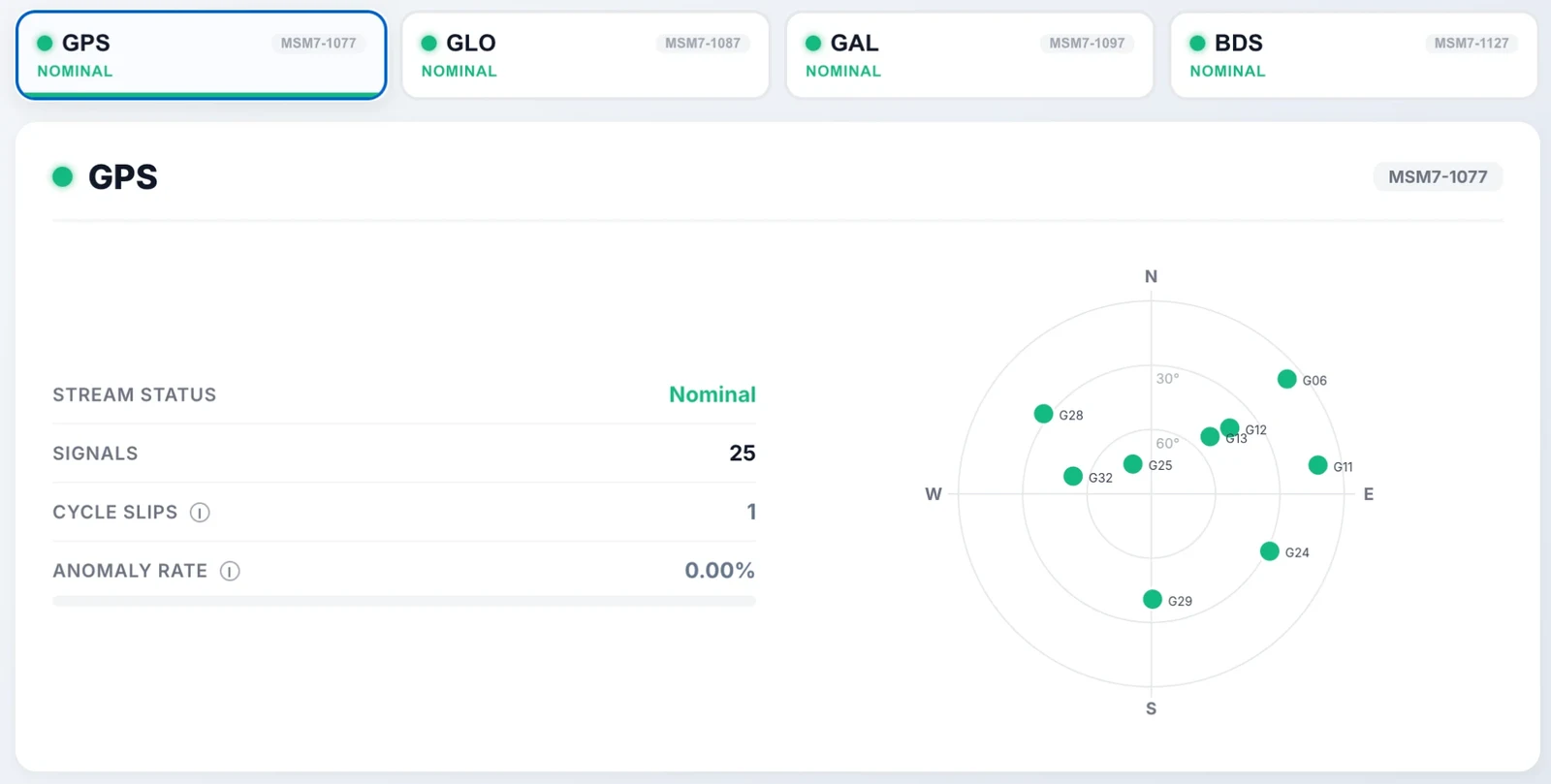
Constellation status
Each constellation, GPS, GLONASS, Galileo and BeiDou, has its own status:
| Status | Meaning |
|---|---|
| Nominal | The signals show no relevant anomalies. |
| Degraded | A noticeable share of satellites or signals shows anomalies. |
| Alert | Many satellites or signals are affected, or several satellites are faulty. |
No status is shown while too few signals are monitored, for example right after a station has started.
Signal metrics
Select a constellation to see its details:
| Metric | Meaning |
|---|---|
| Signals | Number of monitored signals |
| Cycle slips | Cycle slips detected in the last 10 minutes |
| Anomaly rate | Share of signals that are currently degraded, excluded or recovering |
Skyplot
The skyplot shows each satellite of the selected constellation at its azimuth and elevation, in the color of its classification: green for nominal, yellow for degraded, red for faulty and gray while it is not classified yet.
Station stream
The panel Real-time Monitoring shows the stream of the selected station: the network it comes from, the time of the latest data, the uptime, the data rate, the message rate and the position of the reference station.
After a station starts
When a station has just started streaming, for example because your receiver is the first to connect to it, the classification of its signals is provisional for a short time, until enough observations have been collected.
For integrators
The classification is also part of the correction stream, as a proprietary RTCM message. Receivers that do not support it ignore it. To use it in your own software, write to support@neuraloc.ai. We provide the message description on request.